Interaction design case study
Atlassian, 2018Defined the interaction model for Atlassian's roadmap drag-and-drop system — using a coded prototype to validate complex micro-interaction decisions and de-risk engineering investment before build.
Problem
As part of the Portfolio for Jira redesign , a critical design challenge was giving users direct control over their roadmap — creating, grouping, and scheduling tasks by dragging them onto a timeline. Drag-and-drop sounds simple; building one that feels right is genuinely hard.
The stakes were high. Getting the interaction wrong would undermine trust in the whole product — users needed to feel in control, not fighting the interface. Getting it right in code before committing engineering resources was the smarter path.
Process and solution
Static mocks or Figma prototypes couldn't answer the questions that mattered here — feel, timing, cursor behaviour, edge cases. Instead, I drove the decision to build a coded prototype with a pair of front-end developers. One week of investment to answer questions that would have taken months of engineering iteration to discover in production.
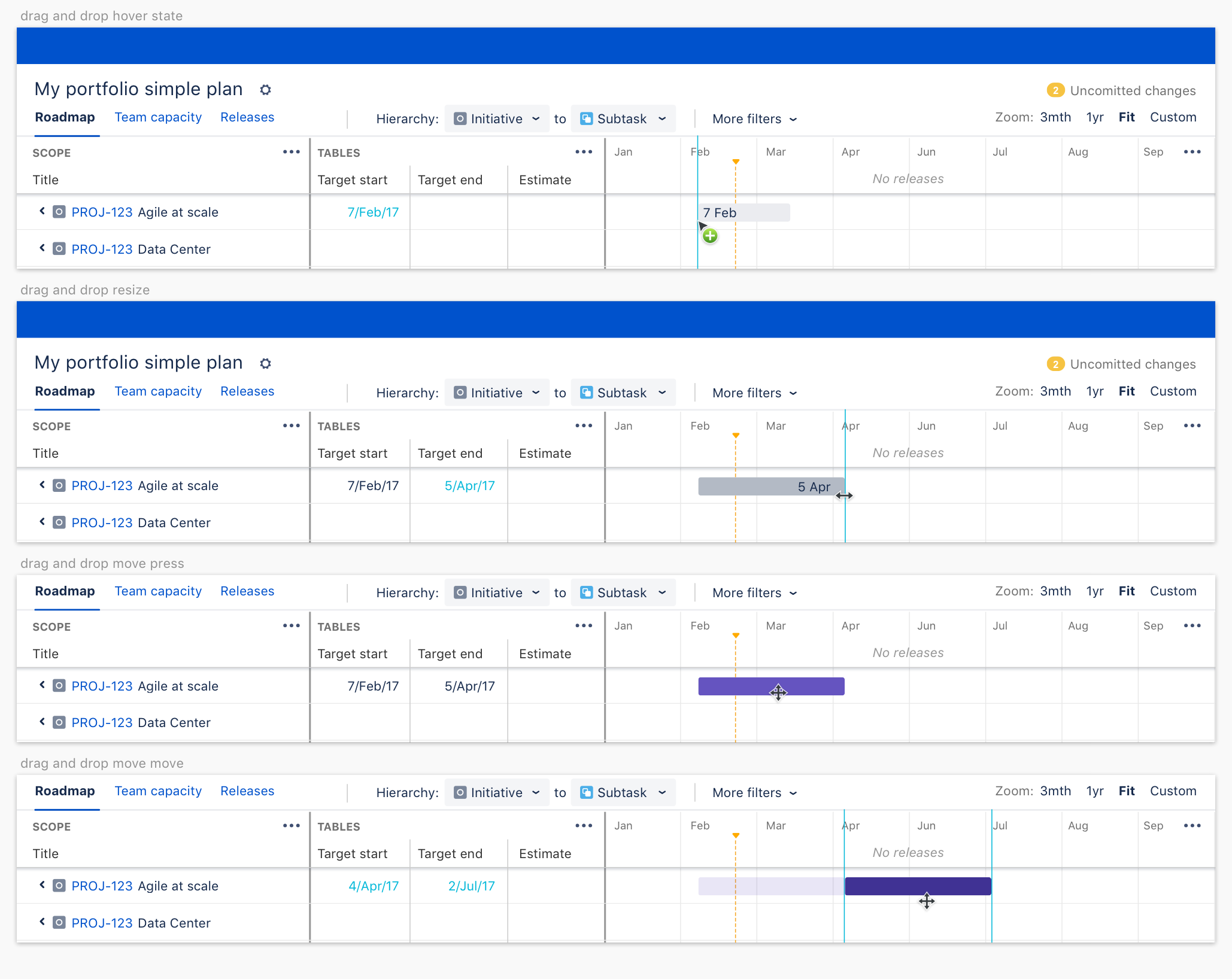
We faced hundreds of decisions with no clear answers. For example, when creating an issue on the timeline:
- Should a user click, hold, + drag?
- Single or double click to create a default size, then resize as needed?
- Should any preview bar be left, center, or right aligned to the cursor? And so on…
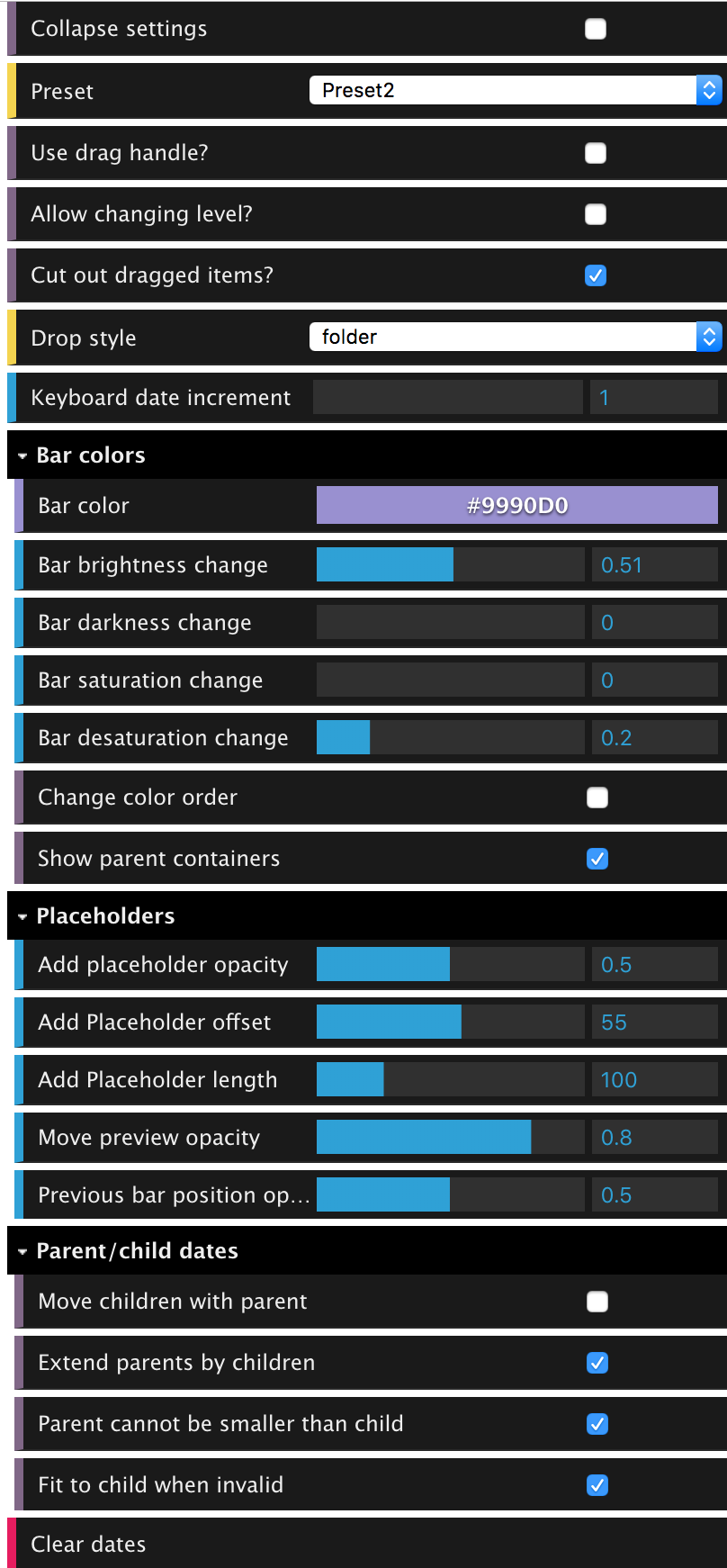
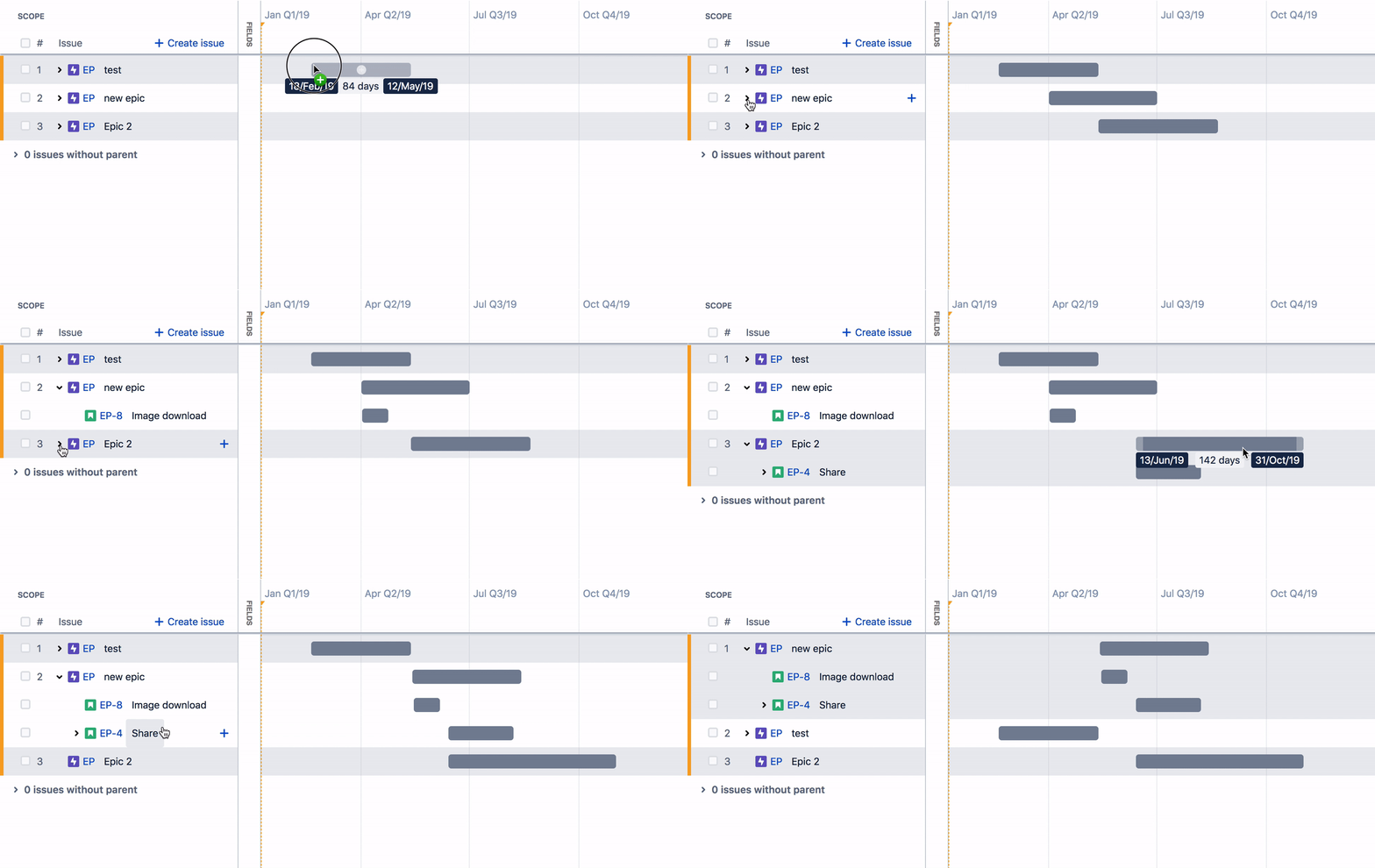
In the prototype we created what we called the "god mode" that let us play with different parameters. I could then look at a particular problem, adjust sliders and see all the possibilities and make a quick decision on what to do. It was easy to tell interaction patterns that simply didn't feel right, or were harder to complete. Here are a few examples of interactions possible in the coded prototype:
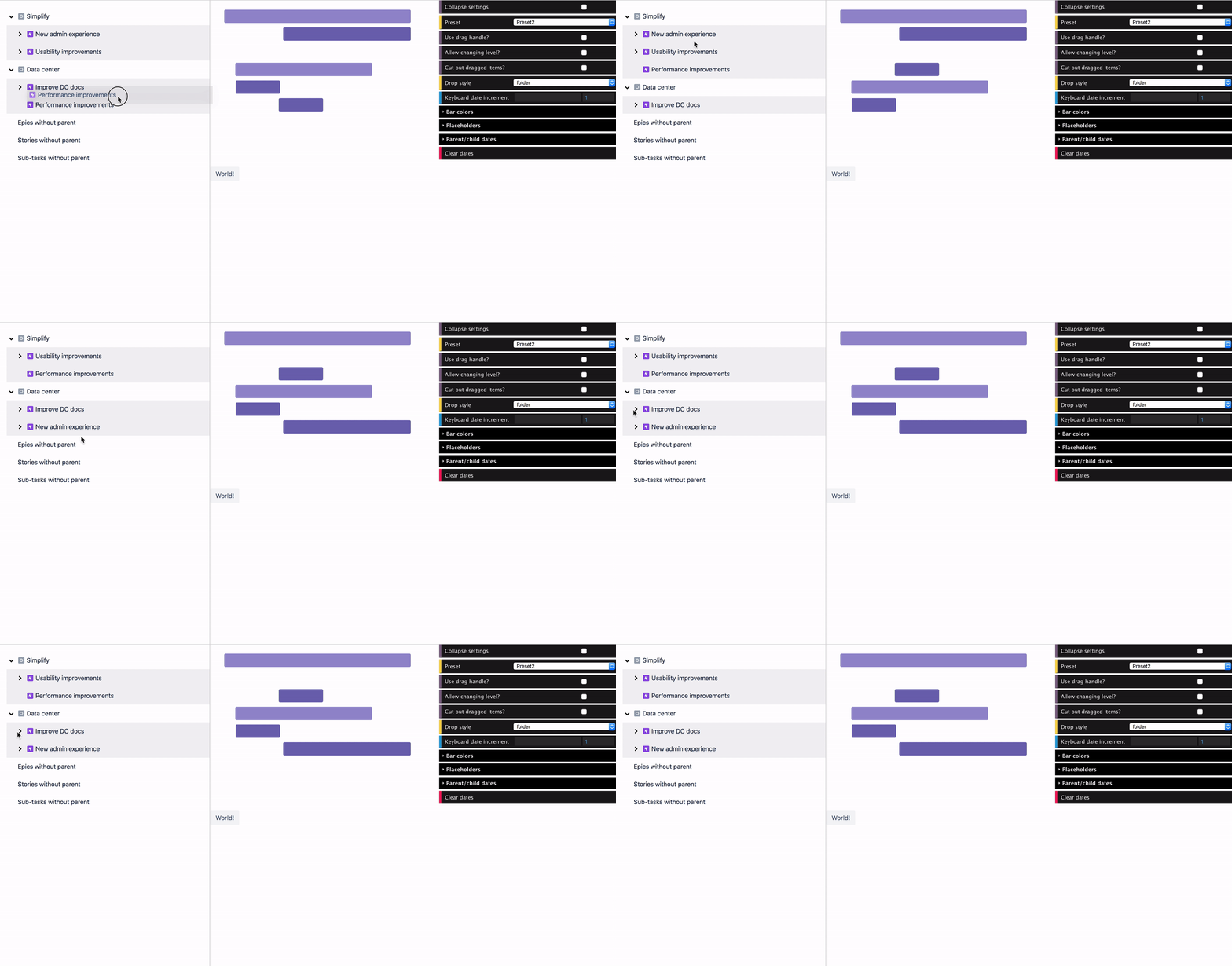
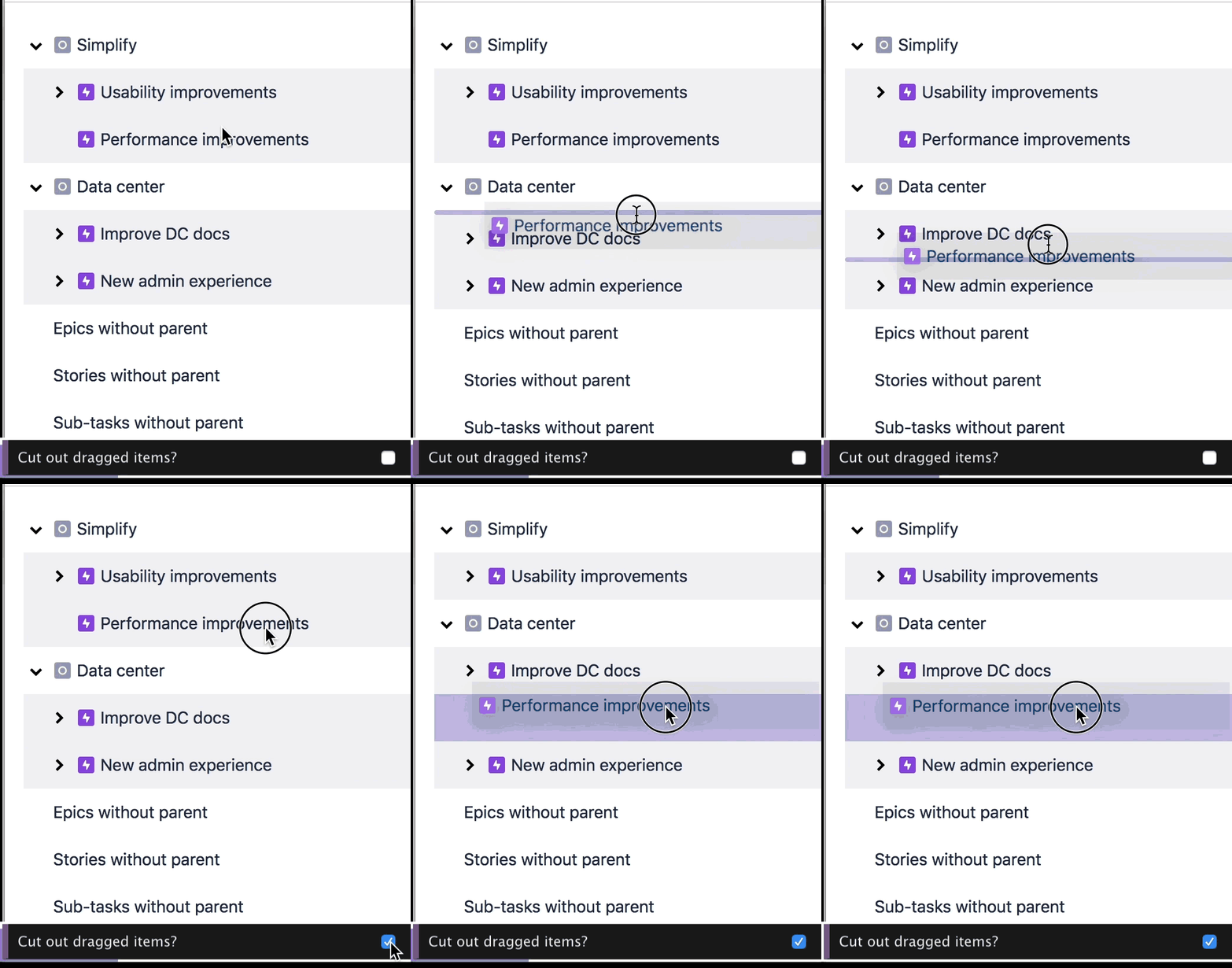
Here are some of the final interactions
Success measurement
To know that our drag and drop solution worked, from a user's perspective we needed to see
- Can users complete the task?
- How difficult did they find it to complete the task?
- Does it "feel" right. Or "did this interaction behave the way you expected it to?"
User testing with beta customers was well received. The main improvements flagged was for "I made this change, help me understand how feasible it is", than the interaction model itself.